 Scrollie
Tailor alternative for iPhone — an actively maintained stitcher
Last updated: 21 July 2026
Tailor is a beloved iPhone stitcher. For years it did one thing beautifully — turn overlapping screenshots into one long image — and thousands still rely on it. But its App Store listing tells a quiet story: version 2.1.1, dated 20 February 2023, with a description advertising one capability: "Automatically stitch your screenshots into one long image." No scroll recording, drafts, PDF, collage or mockup. Scrollie is designed for that transition — same clean feel, richer editor, active releases.
The short answer: Scrollie keeps Tailor's core (multi-image auto-stitch, manual seam fine-tune) and adds what Tailor's description never covered — screen recording to long screenshot, an auto-saved Drafts inbox, PDF export, template collages (2–12 photos), a Cleanup brush that erases objects, and Device mockup with iPhone 17 colors. Everything happens on-device.
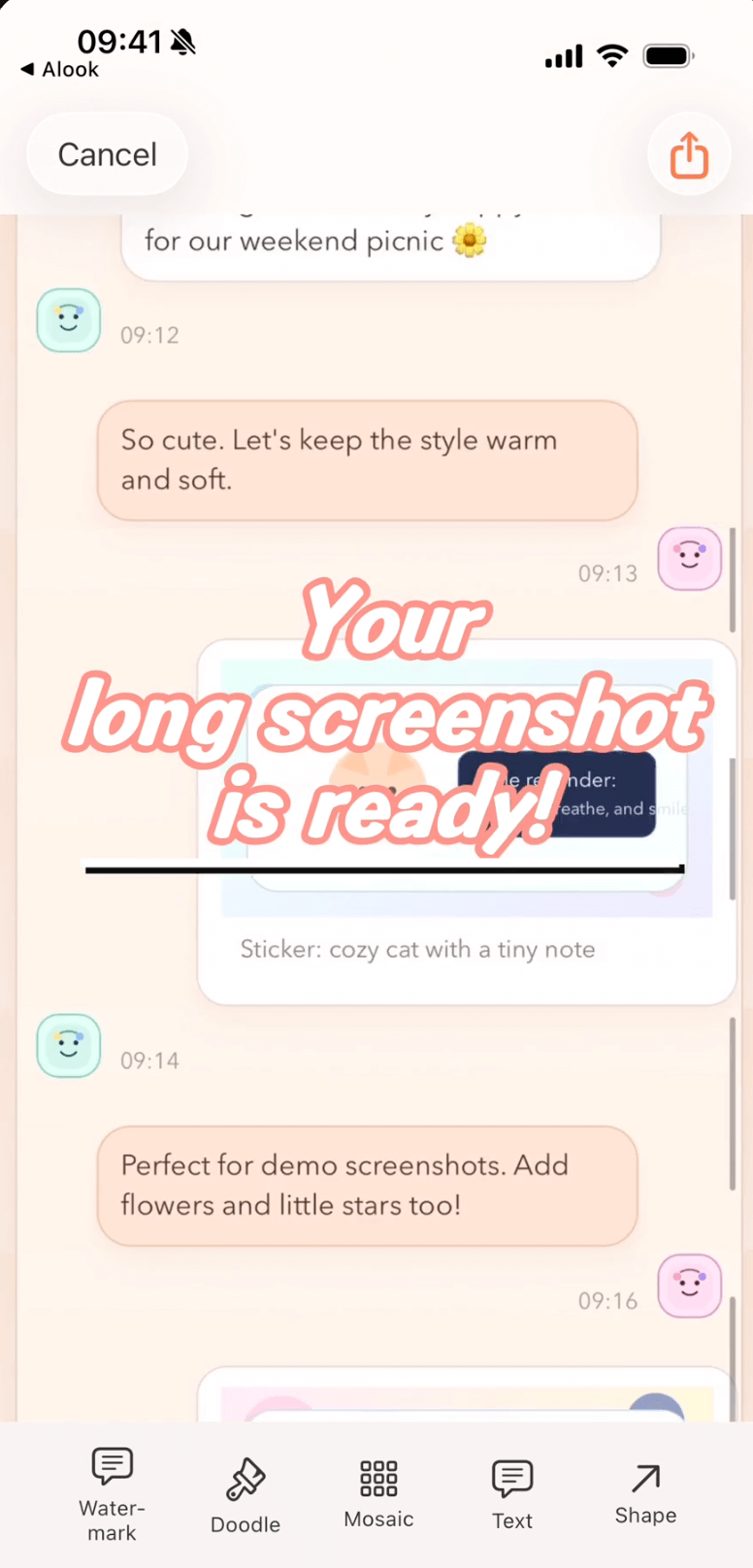
One draft holds the stitch, the seams, the Cleanup pass and the export preset.
What Tailor does — and Scrollie does too
The honest overlap on the core job that made Tailor famous:
- Multiple screenshots in, one long image out
- Automatic overlap detection between adjacent screenshots
- A clean UI that gets out of your way
- Everything happens on the phone, no upload
Tailor's description stops there. Scrollie keeps that stitch as job #1 (adding a magnifier-backed manual fine-tune), then layers extras on top.
What Scrollie adds on top of Tailor's core
| Capability | Scrollie | Tailor (as listed on the App Store) |
|---|---|---|
| Screen recording → long screenshot | ✓ Overscroll-back handled | — Not listed |
| Manual seam fine-tune with magnifier | ✓ Vertical or horizontal | — Not listed |
| Drafts inbox, auto-saved | ✓ Portrait & landscape stored separately | — Not listed |
| PDF export | ✓ Alongside JPEG / PNG / HEIC / slices | — Not listed |
| Template collage (2–12 photos) | ✓ Per-cell editing | — Not listed |
| Auto-group photos into collages by trip | ✓ By capture time, place, content | — Not listed |
| Cleanup brush (erase object / watermark) | ✓ Paint over, auto-fill background | — Not listed |
| Auto detect & erase tiled text watermarks | ✓ One-tap | — Not listed |
| Device mockup with iPhone 17 series official colors | ✓ Per-slice too | — Not listed |
| URL Scheme & Shortcuts | ✓ | — Not listed |
| Actively maintained | ✓ Regular releases through 2026 | — Version 2.1.1 dated 2023-02-20 per App Store |
Source: Tailor's App Store description as of 2026-07-21. "Not listed" means Tailor's official copy does not advertise that capability — it does not mean the app cannot do it at all.
The Drafts moment — what happens after Tailor stitches
Tailor hands you the image the moment it's stitched — beautiful when it's done, less so when it isn't. In Scrollie the moment you touch an edit it's saved as a draft; come back later and the exact stitch, seams, Cleanup strokes and export preset are still there. Portrait and landscape drafts live in separate lanes. Of eleven long-screenshot competitors we checked, only one mentioned "auto-save" — meaning saving finished images to the photo library, not preserving in-progress edits.
The extras Tailor's description doesn't list
- Screen recording to long screenshot. Drop a scroll recording in; overshoot and swipe back and the tail stops at where you actually stopped.
- Template collages. Arrange 2–12 photos; per-cell edit (crop, rotate, mosaic, Cleanup brush, watermark). Auto-group by trip when you don't want to lay them out by hand.
- Cleanup brush and auto watermark removal. Paint over an object; the background fills in. Or one-tap to erase tiled text watermarks while preserving what's beneath.
- Device mockup with iPhone 17 series colors, wrapping the long image or each slice.
- PDF / slice / HEIC export, plus a one-tap save preset from Settings.
When Tailor is still the better choice: if bare-bones automatic stitching is exactly what you want — no editor, no drafts, no extra menus — Tailor's App Store copy still describes that job cleanly, and its 8,194 US reviews back years of trust. If your workflow ends the moment the stitch is done, there's no reason to force a switch.
Reach for Scrollie the day the stitch is the start, not the end — when the same draft becomes a PDF tomorrow, when a recording overshoots and needs to be trimmed, or when a screenshot still carries a company watermark you'd rather remove.
Moving from Tailor to Scrollie: a 5-minute try-alongside
- Install Scrollie from the App Store. Keep Tailor installed — this is a try-alongside.
- Take three overlapping screenshots of a long chat. Share them into Scrollie, watch the stitch, then drag any imperfect seam with the magnifier.
- Close the app halfway. Open it again. The draft is right there.
- Record a scroll of a webpage. Open Scrollie and turn that recording into a long image — overshoot and swipe back to see the tail handled cleanly.
- Wrap the final long image in an iPhone 17 mockup and export as PDF, HEIC or per-ratio slices — outputs Tailor's description doesn't cover.
Frequently asked questions
Is Tailor still being updated?
Tailor's App Store listing shows version 2.1.1, dated 20 February 2023 — no new versions since. It still stitches screenshots. If you want a stitcher that keeps shipping with new iOS versions, an actively maintained alternative like Scrollie is worth trying alongside it.
How is Scrollie different from Tailor?
Tailor's App Store description advertises one thing: automatically stitching screenshots into one long image. Scrollie keeps that core — automatic overlap detection, manual seam fine-tune — and adds an editor around it: screen recording to long screenshot, an auto-saved Drafts inbox (portrait & landscape separate), PDF export, template collages for 2–12 photos, device mockups with iPhone 17 colors, and a Cleanup brush to erase objects and watermarks.
Can Scrollie import a screen recording and turn it into a long image?
Yes. Record a scroll, drop it into Scrollie, and it becomes one long screenshot. If you overscrolled and swiped back, the image stops at the frame where you actually stopped. Tailor's description does not list screen-recording input.
Does Scrollie really auto-save my edit as a draft?
Yes. Every edit is saved as a draft the moment you touch it. Portrait and landscape drafts are stored separately, so switching orientation does not overwrite what you were working on.
Is Scrollie free?
Yes, core features are free. Pro features come with a free trial, then a monthly or annual subscription or a one-time lifetime purchase — prices are shown in the app before purchase.
Related pages
Same stitch. Now with drafts, PDF and Cleanup.
Core features free. Pro comes with a free trial, then a subscription or a one-time lifetime purchase.
Download Free on the App StoreiPhone & iPad · iOS 16 or later · 100% on-device