 Scrollie
Drafts inbox & auto-save on iPhone long screenshots
Last updated: 22 July 2026
A real long-screenshot or collage edit almost never finishes in one sitting — the subway ride ends, a work call cuts in, and at night you remember the last seam is off. Most long-screenshot apps treat "come back later" as start over. Scrollie is built for the interruption: every edit is auto-saved as a draft, and portrait and landscape drafts are stored separately, so rotating the phone or importing a landscape recording never overwrites the portrait chat you were assembling.
The short answer: Scrollie's drafts inbox captures every long-screenshot and collage edit automatically — stitched sequence, fine-tuned seams, crops, device mockup, and per-cell edits all survive. Portrait and landscape drafts live in separate lanes. Everything stays on-device.
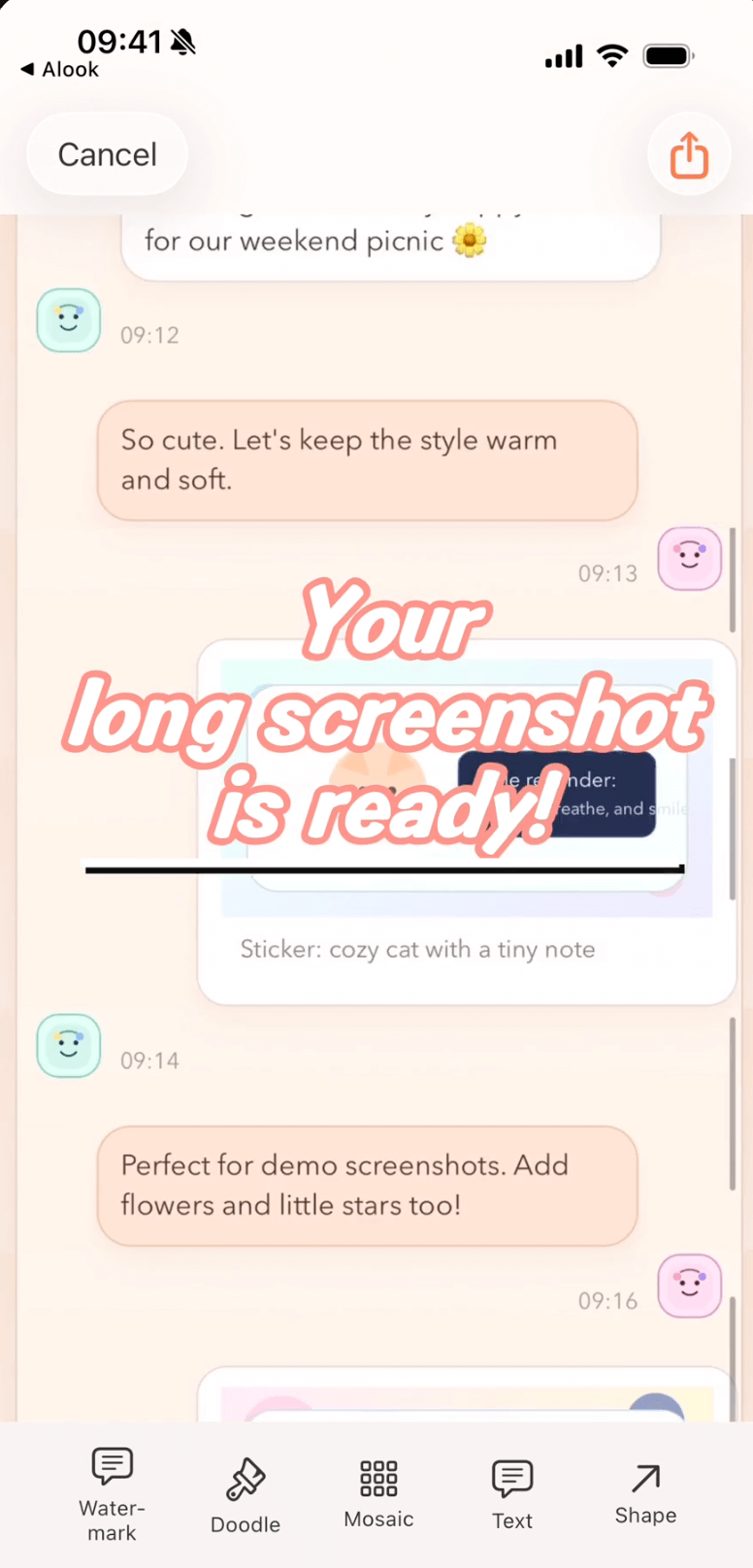
The edit you opened this morning is still the edit you re-open at night.
Why "drafts" isn't a small feature
A long screenshot rarely gets made in one sitting. You take three overlapping screenshots on the subway — then your stop arrives. At work you take one more you want to add. At home you notice the middle seam is off. That's three sessions, not one. Without drafts, sessions two and three are just "start over".
Scrollie treats the composition as the working file, not the exported image. The moment you touch it, that state is recorded. Close the app, take a call, let the phone die: when you re-open Scrollie the draft is on the home screen, ready to resume.
The empirical picture — drafts are rare in this category
Of the eleven competitor App Store descriptions we surveyed (Picsew, Tailor, Stitch It, StitchPics, Zeta Stitch, ScrollShot, Longshot, Stitch, PicCollage, Photo Grid, Layout from Instagram), only Stitch It's Chinese description mentions "自动保存" — and its semantics are save the finished result to Photos, not preserve an in-progress edit. None of the other ten list any drafts inbox at all. A durable drafts inbox that keeps an editable working file alive across sessions is unusual here.
What survives inside a Scrollie draft
A draft is the composition and every layered decision on top:
- Stitched sequence — which screenshots, in which order, with which detected overlap
- Fine-tuned seams — every manual seam adjustment remembered per join point
- Crops — any top or bottom trim you applied to the long image
- Device mockup — the phone frame and color, and whether it applies per slice on export
- Per-cell edits (Collage) — each cell's reframe / rotate / flip state, plus doodle, text, stickers, mosaic, Cleanup brush and watermark on top
- Watermark placement — your custom logo and its Tiled or Corner Badge position
- Cleanup brush strokes — painted areas survive as an editable layer, not as a flattened image
Because these are stored as editable state, re-opening the draft doesn't drop you back into a flat PNG — it drops you into the editor with every knob still in place.
Portrait and landscape drafts, stored separately
This one is subtle but rescues a lot of work. Imagine your morning:
- You take three portrait screenshots of a chat and drop them into Scrollie. The stitched draft is sitting there, mid-edit.
- Two hours later you record a landscape screen recording of a dashboard and share it into Scrollie.
- If both drafts shared one slot, the landscape recording would clobber your portrait chat. Scrollie doesn't do that — the recording opens its own draft in the landscape lane; the portrait chat is still in the portrait lane, exactly where you left it.
Rotating the device between landscape and portrait doesn't confuse the recovery — Scrollie brings you back to the draft that matches the orientation you're currently working in.
Where to find your drafts
You don't have to hunt for the inbox. After your first edit, drafts appear on Scrollie's home screen as a row of thumbnails, each one a live working file. Tap a thumbnail to jump back in with every seam and mask where you left them. Delete a draft from the same place — nothing lingers on-device.
Realistic scenarios where drafts change the workflow
The commuter chat. You're stitching a long chat on the subway. The train arrives, you back out. Two meetings later you remember the fourth screenshot to add. Re-open the draft, drag it in, and the edit picks up where it stopped — overlap re-runs on just the new addition; seams you fine-tuned stay fine-tuned. Meanwhile the landscape dashboard recording you imported yesterday still sits in the landscape lane, untouched.
Frequently asked questions
Does Scrollie really auto-save my long screenshot while I edit?
Yes. From the moment you drop screenshots or a screen recording into the editor, Scrollie tracks the edit as a draft and keeps it up to date as you work. If the app is backgrounded, the phone dies, or you switch to another app for a call, the draft is still there when you come back — no manual save button to remember.
Why does Scrollie keep portrait and landscape drafts separately?
A long chat is usually a portrait stitch; a spreadsheet or a wide dashboard recording is a landscape stitch. If both shared one slot, importing a landscape recording would overwrite the portrait chat you were assembling. Scrollie stores them in separate lanes so rotating the phone or importing a landscape source never touches your portrait work in progress.
What survives inside a Scrollie draft?
The composition itself and the edits layered on top: the stitched sequence and any fine-tuned seams, top-and-bottom crops, device mockup choices, and cell-level edits from the collage view including doodle, text, stickers, mosaic, Cleanup brush strokes and watermark placement. When you re-open the draft, you land back on that same edit — not a flat exported image.
How is this different from just saving to Photos?
Saving to Photos gives you a finished image; a draft gives you an editable working file. Of the eleven competitor App Store descriptions we surveyed, only Stitch It's Chinese description mentions auto-save, and there the semantics are about saving the finished result to Photos rather than preserving an in-progress edit. Scrollie's drafts inbox keeps the edit alive so you can undo, re-crop or re-stitch tomorrow.
Is Scrollie free? And where does the draft data live?
Core features are free; Pro features come with a free trial, then a monthly or annual subscription or a one-time lifetime purchase. Drafts live entirely on your device — screenshots and recordings are never uploaded to a server.
Related pages
Never lose a long-screenshot edit again.
Core features free. Pro comes with a free trial, then a subscription or a one-time lifetime purchase.
Download Free on the App StoreiPhone & iPad · iOS 16 or later · 100% on-device