 Scrollie
Layout from Instagram alternative for iPhone — when you want a bit more than one tap
Last updated: 22 July 2026
Layout from Instagram (by Meta) is one of the most quietly used collage apps on iOS: a handful of layouts, a couple of taps, and you're back in Instagram ready to post. It's minimal on purpose, and for a huge number of people that's the whole appeal. Scrollie is aimed at people whose collage workflow keeps going past that first tap — templates, per-cell editing, auto-grouping by trip, an auto-saved Drafts inbox, a Cleanup brush, and a long-screenshot core underneath the collage. This page isn't a checklist attacking Layout. It's a look at what a collage app feels like when the collage is a step in a longer workflow, not the whole thing.
The short answer: If you want three photos, one tap, share to Instagram, Layout is free, minimal and integrates with Instagram — no reason to switch. Reach for Scrollie when the collage needs templates and ratios, when each cell needs its own edits, when a batch of trip photos should auto-group into collages, when you want an edit that survives an interruption, or when a collage benefits from a Cleanup pass before it ships. Everything on-device.
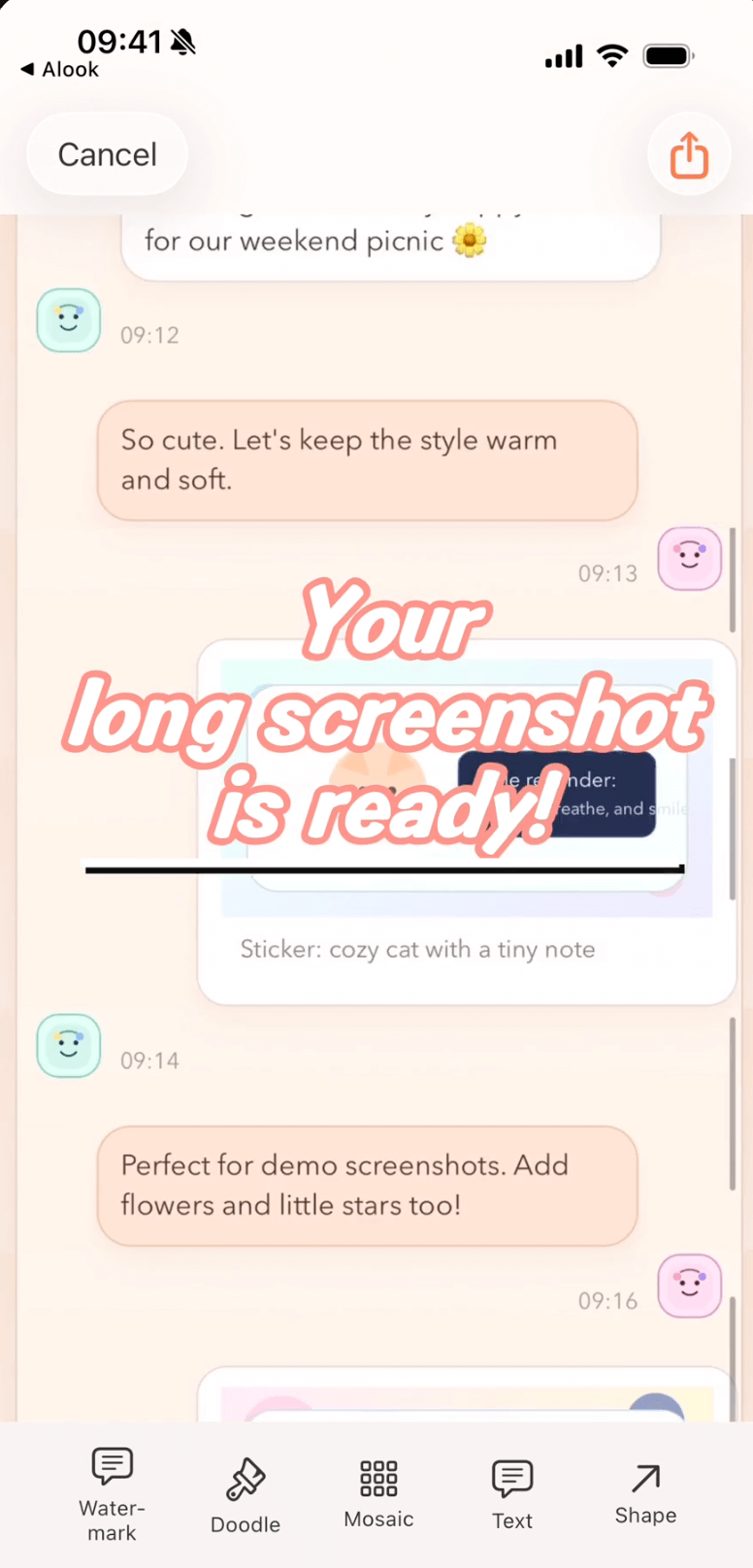
The same editor holds template collages, long screenshots and Drafts — one workflow, not three apps.
Two different design goals
Layout from Instagram is a deliberate minimum. Its whole promise is "collage in a handful of taps, then share to Instagram." That constraint is a feature. Scrollie is aimed at the moment the workflow won't fit into a handful of taps — the moment you want to reframe one cell of a grid but not the others, or take a picture out of a batch and drop a stitched screenshot in its place, or come back tomorrow and continue an edit you started on the bus.
Neither goal is "better." They aim at different jobs. The rest of this page is about the job Scrollie was built for.
What Scrollie brings beyond a minimal collage app
1. Template collages for 2–12 photos, with real per-cell editing
Freely arrange 2 to 12 photos with templates, ratios, borders and backgrounds. Each cell can be reframed, rotated or flipped. Each cell can also carry its own doodle, text, sticker, mosaic, Cleanup brush pass, or custom watermark. Photos swap places by dragging one cell onto another. If a template gives you the shape and a minimal app gives you the tap, Scrollie also gives you the knobs for each individual photo inside the shape.
2. Auto-group a batch of photos into collages by trip
Point Scrollie at a batch of trip photos and it groups them into collages by capture time, place and content. A weekend of pictures becomes a set of already-composed collages instead of a manual layout task. Each auto-generated collage is still fully editable per cell.
3. Cleanup brush and auto watermark removal
Collages often carry along things you'd rather not include — a bystander in a beach cell, a stray label, a repeating "sample" watermark. The Cleanup brush lets you paint over any object, and the area fills back in to match the surrounding background. A one-tap tool detects tiled text watermarks and erases only the watermark strokes, so the content underneath is preserved. In our survey of eleven long-screenshot and collage competitors, none advertised object erasure or auto-detected tiled-watermark removal.
4. Custom watermark and Device Mockup
Sign your collage with your own logo (built-in library, automatic background removal, tiled or corner-badge modes). Wrap a screenshot cell in a real iPhone or iPad frame — including iPhone 17 series models and official colors — before you export.
5. A long-screenshot bonus
Because Scrollie started as a long-screenshot app, the collage view lives next to a stitch pipeline and a screen-recording pipeline. Take three overlapping screenshots of a chat thread, share them into Scrollie, and it stitches them into one long image with automatic overlap detection. Import a screen recording and Scrollie turns the scroll into a single long image. That long image is a first-class object in the same editor as your collage — drop it into a cell without leaving the app.
6. A Drafts inbox that survives interruptions
Every edit is auto-saved as a draft. Portrait and landscape drafts live in separate lanes, so rotating the phone or importing a landscape recording doesn't overwrite a vertical collage you were assembling. You can put the phone down mid-edit and come back tomorrow — the exact edit you were doing is still there.
When Layout from Instagram is still the right pick: if you want three photos, one tap, share to Instagram, Layout is free, minimal and integrates with Instagram — no reason to switch. Scrollie is not trying to be a smaller Layout; it's trying to be a fuller workbench for the collages that don't fit in one tap. If your collage life fits Layout, keep using Layout.
Reach for Scrollie when a collage becomes a step in a longer workflow rather than the whole thing.
Trying Scrollie alongside Layout: a 5-minute walk-through
- Install Scrollie from the App Store. Keep Layout installed — this isn't either-or.
- Pick 6–12 recent photos. Compare a one-tap Layout collage against a Scrollie template collage where you also rotate, reframe and mosaic individual cells.
- Try auto-grouping: hand Scrollie a batch of 10–20 trip photos and let it split them into template collages by capture time and place.
- Try the Cleanup brush on a cell where a bystander or badge is in the frame. The background fills back in.
- Close the app mid-edit. Open it again — your draft is right there, portrait or landscape recovered separately.
Frequently asked questions
How is Scrollie different from Layout from Instagram?
Layout from Instagram is designed to be small and one-tap: pick a few photos, pick a layout, share to Instagram. Scrollie is designed for the workflow that keeps going after that first tap. It arranges 2–12 photos with templates, ratios, borders and backgrounds; each cell can be reframed, rotated, flipped, and edited with doodle, text, stickers, mosaic, Cleanup brush or a custom watermark. It also auto-groups a batch of photos into collages by capture time, place and content, keeps an auto-saved Drafts inbox with separate portrait and landscape lanes, and lives inside a long-screenshot toolkit.
Does Scrollie make proper template collages?
Yes. Scrollie's Collage view arranges 2–12 photos with templates, ratios, borders and backgrounds. Each cell can be reframed, rotated, flipped and edited with doodle, text, stickers, mosaic, Cleanup brush or watermark. You can also let Scrollie auto-group a batch of photos into collages by capture time, place and content.
What does Scrollie add beyond a minimal collage app?
Depth in a few places. Per-cell editing tools (rotate, flip, reframe, mosaic, Cleanup brush, watermark). Auto-grouping of a batch of trip photos into collages by capture time, place and content. An auto-saved Drafts inbox with separate portrait and landscape lanes. And a long-screenshot core that lets a stitched screenshot or a screen recording become a first-class object in the same editor.
Is Scrollie free?
Yes, core features are free. Pro features come with a free trial, then a monthly or annual subscription or a one-time lifetime purchase — prices are shown in the app before purchase.
Does Scrollie upload my photos?
No. All processing happens on-device. Screenshots and recordings are never uploaded. The only network call the app makes is verifying an App Store purchase receipt.
Related pages
When a collage is a step, not the whole thing.
Core features free. Pro comes with a free trial, then a subscription or a one-time lifetime purchase.
Download Free on the App StoreiPhone & iPad · iOS 16 or later · 100% on-device