
Chat history and personal records
Capture long chat threads quickly for personal notes and records.
Scrollie helps individual users capture long conversations and pages faster, without manual stitching.
Not just another screenshot tool. Scrollie is optimized for scrolling content and production use.
Chat history and personal records
Capture long chat threads quickly for personal notes and records.
Article and feed archiving
Save long content from apps and web pages in one clean image.
Sharing workflow
Create polished long screenshots for social posts and personal sharing.
Designed for speed on mobile, no desktop required.
Enable Screen Recording once
Follow the short setup path for your iOS version.
Start Broadcast with Scrollie
Scroll naturally while recording your target content.
Open Scrollie and export
Detect, stitch, and share your long screenshot in minutes.
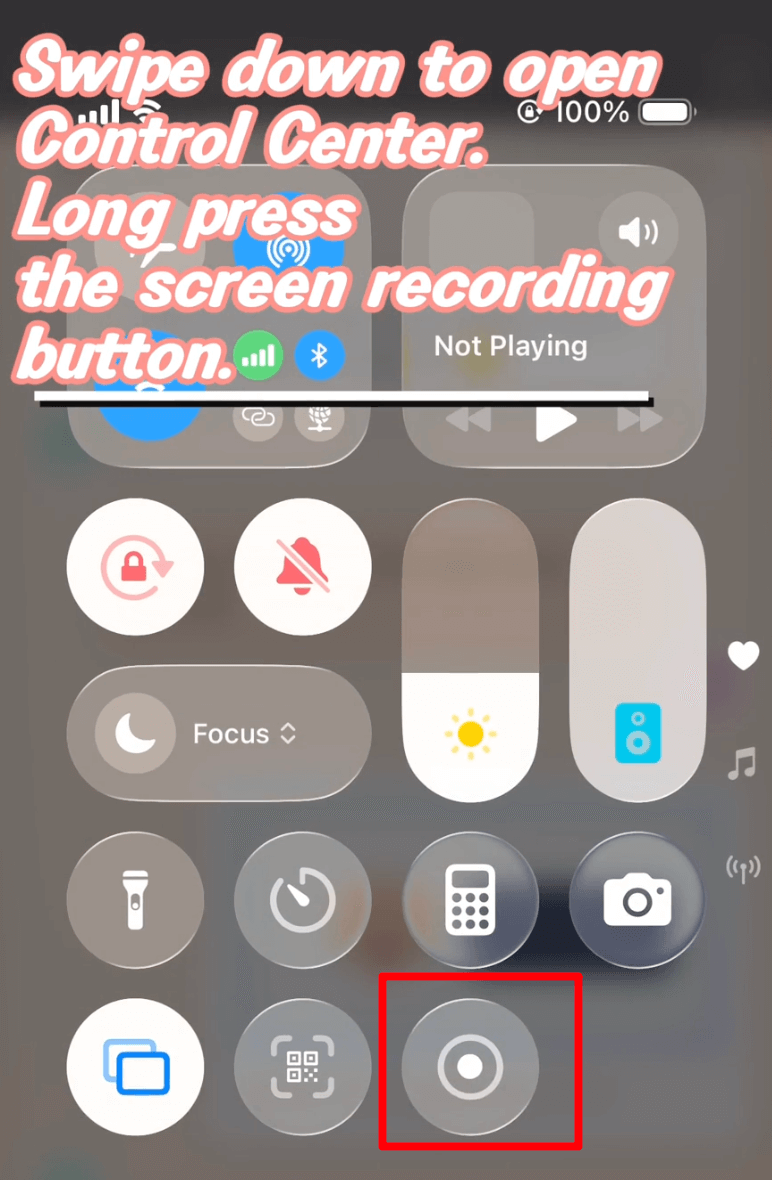
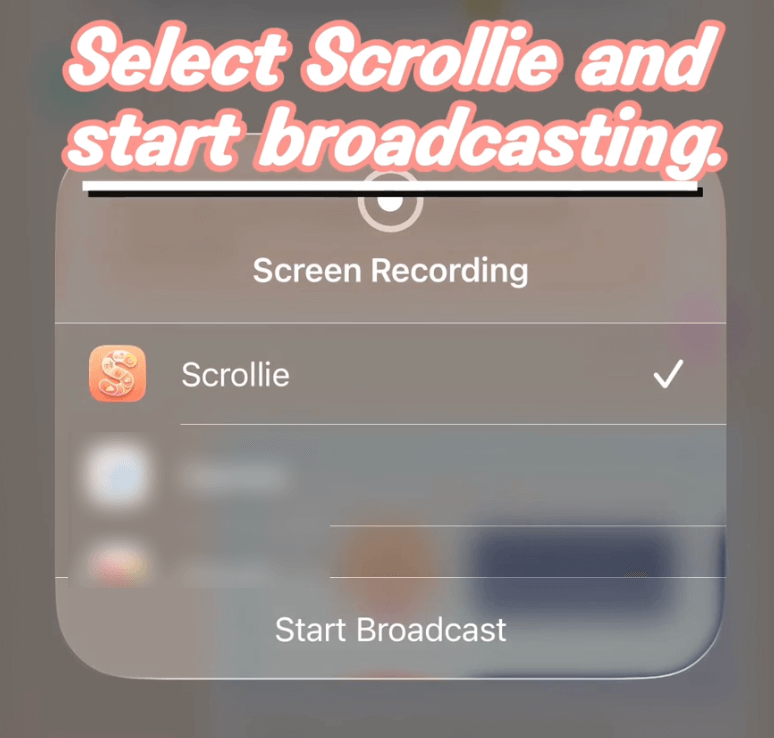
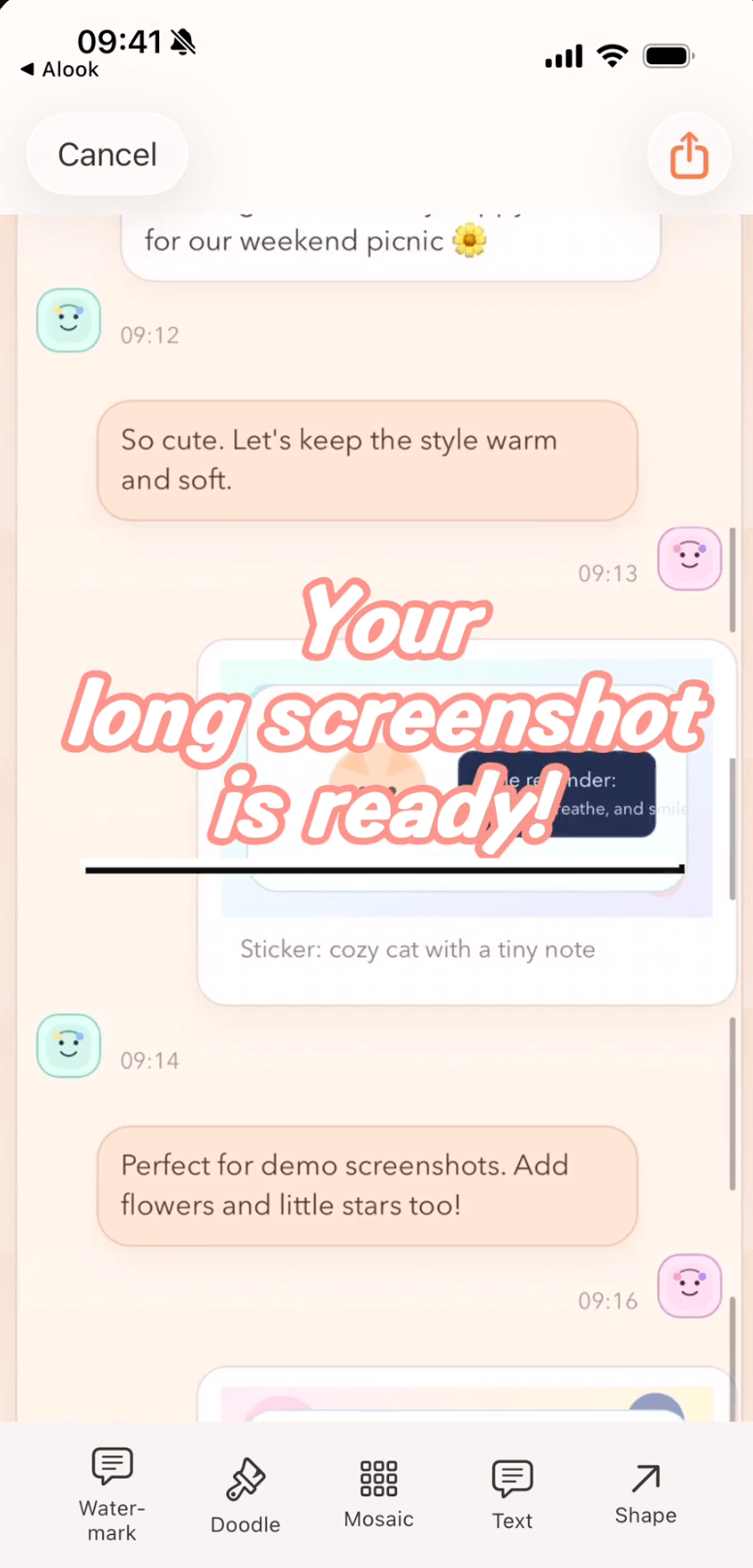
Less manual editing, less time, cleaner results.
Before Scrollie
With Scrollie
No. Core stitching runs entirely on-device with no cloud interaction.
Scrollie supports iOS 16+. Setup steps are split for iOS 18+ and iOS 16-17.
Open Help and choose "Recording to long screenshot" for the mobile-first quick steps.
Start with the 30-second guide and complete your first long screenshot today.